An OST file is a synchronized local copy of your mailbox data stored on the mail server. This file is created automatically when an Exchange, Outlook.com, or IMAP account is configured with Outlook. It is associated with the profile and account with which it is created. Due to this, you cannot open the OST file directly like a standard document.
If your original profile or mailbox becomes unavailable or deleted, then accessing the contents or opening the OST file can be challenging. In this article, we will provide the best ways to open and access an OST file without Outlook.
Reasons to Open OST File without Outlook
There are several scenarios that may require you to open and read OST file without Outlook. Some of the most common ones are:
OST file is copied or imported from another Outlook account.
Outlook is not accessible or uninstalled.
Outlook profile is deleted or becomes inaccessible.
Exchange account is removed or disabled.
Migrating to a new profile or system
Ways to Open and Read an OST File without Outlook
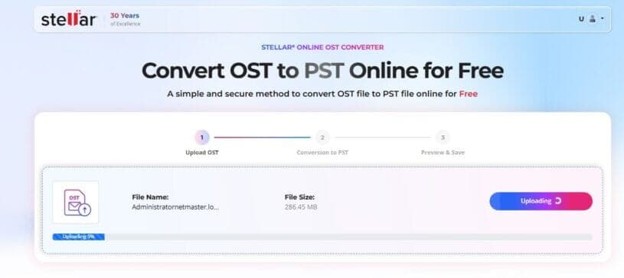
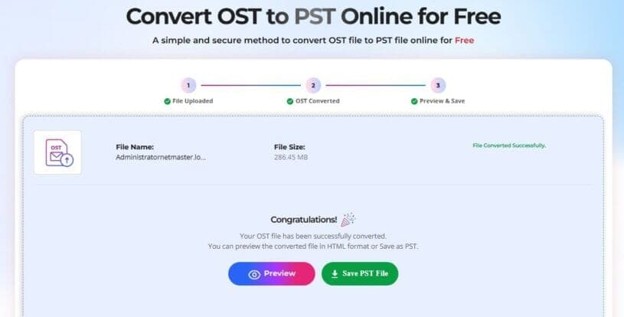
Since OST file is linked to the Outlook profile in which it is created, you cannot directly open and read the file. However, you can use an online OST to PST converter to open your file without Outlook. There are several online converters available on the internet. One such converter on which you can rely upon is Online OST to PST Converter by Stellar. This free online OST converter service can convert an OST file of up to 500 MB and open it in HTML format. It also allows you to save the converted file in the PST format. The Premium plan of this converter can also allow you to open and convert OST file of up to 5 GB.
Here are some key features of Stellar Online OST Converter:
It can convert OST file to PST without requiring Outlook.
It doesn’t require Exchange Server.
It has very easy-to-use interface that helps in converting OST file in a few simple steps.
It allows you to preview the folder structure of your converted data file in HTML format.
It maintains original mailbox hierarchy and structure after conversion.
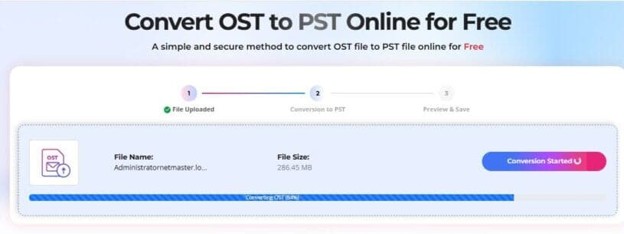
It also displays real-time progress of conversion process.
It follows strict data security and privacy policies as the uploaded and converted files are deleted from the servers within 24 hours.
Now, let’s see how to open and convert OST file using this converter:
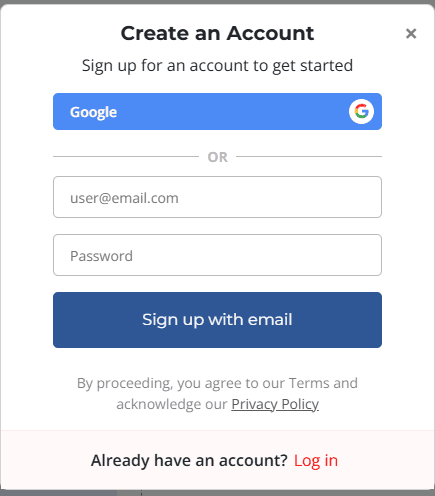
Open a web browser such as Google Chrome, Mozilla Firefox, etc.
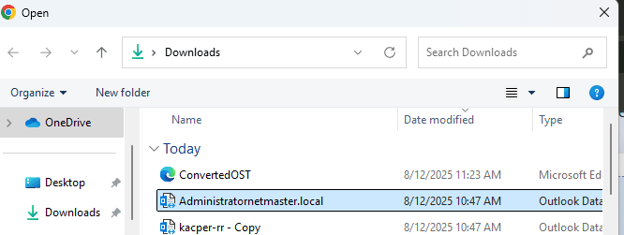
Find and select the OST file (<500 MB for free conversion).
Click on Start Conversion.
Once the process is completed, select the Preview This will allow you to open the converted OST file folder structure in HTML format.
You can click on Save PST File to download the converted file. The converted file will be downloaded at the default download location on your device.
As an alternative, you can free download the desktop version of the OST to PST converter – Stellar Converter for OST. This tool can open OST file with no size limitations and provides preview of all the mailbox items for free. After activating the tool with a license key, you can save the OST file items in PST and other popular formats, such as PDF, HTML, EML, RTF, etc.
Conclusion
As explained above, you cannot open and read your OST file without Outlook because it is linked to the specific profile in which it is created. Therefore, the only way is to use a specialized OST to PST converter. Above, we have mentioned the steps to open your data file using the online OST converter by Stellar. This online service helps you to safely and easily convert OST file of 500 MB to PST for free. You can also use Stellar Converter for OST to open and convert OST file without any size limitations.
Related Reading
More contextual TechBooky stories selected from tags, categories and article context.
We use cookies to ensure that we give you the best experience on our website. If you continue to use this site we will assume that you are happy with it.