An ordinary Google search isn’t always sufficient sometimes. Tailoring your search terms in Safari or Chrome to discover a celebrity’s sneaks or an affordable denim substitute is generally not going to help you find what you’re looking for. It’s necessary to become visual during moments like these.
This is the role of Google Lens. Google’s digital assistant recognizes objects, language, and situations on the fly by using the camera or picture gallery on your phone. Simply aim it toward the subject you wish to research, take a picture, and then wait for the findings. Google’s AI system evaluates the visual input in the background and compares what it sees with Google’s extensive internet knowledge base.
Users may now upload a video to Google Lens and receive an AI summary in answer to their query. This is part of the current upgrade to Google Lens. But there will be more updates for the visual lookup function in the future. Google recently said that voice search will be added to Google Lens. A major improvement to the way the results are presented to customers will also make it easier for people to shop for comparable goods using the tool.
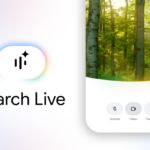
In a blog post, Google said the voice search function functions similarly to the short video feature and can also be used with photographs. To ask the AI a question, users may say their inquiry aloud, hold down the shutter button, and aim their camera in the direction of anything they wish to search for.
It may be used for everything, from detecting dog breeds to assisting with schoolwork, but as a personal shopper, it is particularly useful. Additionally, while it can be accessed using desktop computer browsers, the Google app for iPhone and Android is the most practical method to utilize it.
The Google app for iOS and Android presently supports voice input worldwide. However, Google states that it currently only handles English inquiries.
The business is also enhancing the Lens shopping experience in addition to the voice search feature. The product finder tool may identify the same and comparable goods offered on many e-commerce websites when it receives a picture of a product. Google is now altering the results page, though, to provide more useful information on the product that was searched for.
According to Google, customers will now discover important details about the product they looked for, such as reviews, information on prices across stores, and where to buy it. The Google Lens function now sorts through a catalogue of 45 billion goods to discover the relevant information using sophisticated AI models and the company’s Shopping Graph.
With the release of the short video-based search feature last week, Google Lens saw a substantial improvement. With the help of this function, users may capture a 20-second video by long pressing the shutter symbol. The footage can subsequently be analysed by Gemini AI, which drives the AI Overviews. According to Google, this functionality will make it simpler to record activity or a moving item and pose questions about it.
To start, using Google Lens is much faster when you ask it questions with your voice. For example, you may ask what’s in an image or video. Sending a movie to Google to ask inquiries about it is now possible!
Holding down the shutter button while opening Google Lens on an Android device will capture a little video that you can then ask questions about.
Lens may therefore provide more buying information than before, such as product prices across merchants, available discounts, product reviews, and where to get it. You should be ready to see more advertisements, including sponsored items from other businesses, since this is Google. However, a seasoned searcher will quickly skip those.
You can utilize the new feature by pointing your phone’s camera at the subject you wish to photograph, holding down the shutter button, then speaking. After that, Lens will provide the results based on your query and the picture, including summaries created by AI.
The company’s Gemini AI chatbot may be accessed through the Google app, which has been updated to enable the upgrade.
Google estimates that Lens is currently used for roughly 20 billion visual searches monthly with Gen Z users aged 18-24 most willing to utilize it. But because of the popularity of TikTok and YouTube, everyone is following the trend and becoming more visual in their searches. It’s not just the younger generation. Many people who want to know if the appliance or item they’re buying is worth it turn to these video applications.
Meanwhile, Google’s Circle to Search, which lets you search anything on your screen by simply drawing a circle around it, is taking on Apple’s Shazam with a new song detection tool. Although it is presently only available on a few Google Pixel and Samsung phones, the expanded feature will soon be available on more Android smartphones.
Related Reading
More contextual TechBooky stories selected from tags, categories and article context.
We use cookies to ensure that we give you the best experience on our website. If you continue to use this site we will assume that you are happy with it.