TechBooky AI Assistant
👋 Welcome to TechBooky AI Assistant

I can help with:
🔎 Tech News
🤖 AI Topics
💻 Gadgets
☁️ Cloud
✍️ Guest Posts
📢 Advertising
🔗 Backlinks
📩 Newsletter
  • AI Search
  • Cryptocurrency
  • Earnings
  • Enterprise
  • About TechBooky
  • Submit Article
  • Advertise With TechBooky
  • Contact Us
TechBooky
  • African
  • AI
  • Metaverse
  • Gadgets
Generic selectors
Exact matches only
Search in title
Search in content
Post Type Selectors
Search in posts
Search in pages
  • African
  • AI
  • Metaverse
  • Gadgets
Generic selectors
Exact matches only
Search in title
Search in content
Post Type Selectors
Search in posts
Search in pages
TechBooky
Generic selectors
Exact matches only
Search in title
Search in content
Post Type Selectors
Search in posts
Search in pages
Home General App

Here’s How To Try Out The Multi-Device Support On WhatsApp

Paul Balo by Paul Balo
August 9, 2021
in App
Share on FacebookShare on Twitter
Share this story

Send it to someone who should read it.

f Facebook X X in LinkedIn wa WhatsApp tg Telegram @ Email

In Brief
  • In April 2020, WhatsApp had announced that it will try testing the ability of using same WhatsApp account on 2 different devices that are linked.
  • After a almost a year, they announced in a  Facebook Engineering blog post on Wednesday July 14th, 2021 that they are finally testing its multi-device capability...
  • Remember that when using WhatsApp, messages are end-to-end encrypted (E2EE); this means that only the parties involved in the messaging could access messages, so this was...

In April 2020, WhatsApp had announced that it will try testing the ability of using same WhatsApp account on 2 different devices that are linked. After a almost a year, they announced in a  Facebook Engineering blog post on Wednesday July 14th, 2021 that they are finally testing its multi-device capability feature.

Remember that when using WhatsApp, messages are end-to-end encrypted (E2EE); this means that only the parties involved in the messaging could access messages, so this was a major issue when the app team were trying out this new feature. How would messages remain encrypted without being stored on the platform’s server?

The Solution

WhatsApp decided to devise a different approach to encryption. Now, instead of the current model of using a phone’s storage as the primary device, what it will do is, to use a client-fanout approach. That is; the WhatsApp client sending the message encrypts and transmits it N number of times to N number of different devices — those in the sender and receiver’s device lists. Each message is individually encrypted using the established pairwise encryption session with each device. Messages are not stored on the server after they are delivered.

The security of devices and messages have also been taken care of using different approaches:

First, there are security codes that represent a combination of device identities so that anyone sending a message, or their contact can verify which devices they are sending messages to.

Again, there is Automatic Device Verification. This approach allows for devices to automatically establish trust between each other in a way that someone needs to compare another user’s security code only if that user reregisters their entire account, rather than each time they link a new device to their account. 

Additionally, a user will have control over the accounts linked to their devices. A QR code will still be used to link new companion devices, however this will now require biometric authentication if it has been enabled on compatible devices. One will also be able to see all the companion devices linked to their account, when last used and log out remotely if need arises.

Also worth reading
WhatsApp Is Developing On-Device Scam Detection Feature For Android Users Texas Takes Action Against WhatsApp Over Encryption WhatsApp Plus Launches On iOS With Premium Features WhatsApp Tests Subscription With Largely Cosmetic Perks WhatsApp Preps Paid Tier — Here Are Features Coming Soon WhatsApp Brings Multi-Account Feature to iOS Beta

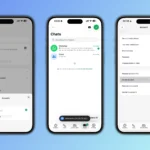
Here’s how to use the beta on iOS and Android

On iPhone

  1. In WhatsApp, tap Settings
  2. Tap Linked Devices
  3. Tap Multi-Device Beta > JOIN BETA and follow the instructions

On Android

  1. In WhatsApp, tap More options (three horizontal dots)
  2. Tap Linked Devices
  3. Tap Multi-Device Beta > JOIN BETA and follow the instructions

This new invention does not come without its limitations though. Here are the main ones:

  • One WhatsApp account cannot be used on different (linked) devices at the same time.
  • Live location feature is not available on linked (companion) devices
  • WhatsApp calls cannot be made from a Desktop to a linked device that is not part of the multi-device beta
  • Linked devices will not be able to communicate using older versions of WhatsApp

What is the great side of this new reveal?

A WhatsApp user can use their account on a companion device (a Desktop), even if their phone is low on power. 

This is sure a useful new feature BUT! It is not yet available in all Countries. Not all WhatsApp users can use this for now, the spread is a gradual process. 

Related Reading

More contextual TechBooky stories selected from tags, categories and article context.

  • IG DMs
    Instagram to Remove End-to-End Encryption for DMs in…
  • WA_GUEST_CHAT_SHARE_MESSAGES_WITH_NO_WHATSAPP_USERS_ANDROID
    Guest Chats Comes To WhatsApp On Android & iOS
  • WA_VIEW_ONCE_PHOTOS_VIDEOS_VOICE_MESSAGES_LINKED_DEVICES_ANDROID
    WhatsApp Tests View-Once Media Support for Linked Devices
  • WA_TRANSLATE_CHAT_MESSAGES_CHANNEL_UPDATES_AUTOMATIC_FEATURE_ANDROID
    WhatsApp Beta Adds Message Translation
  • x-logo-phone-2025
    Elon Musk Unveils Encrypted Chat to Replace DMs on X
  • WA_MANAGE_ADD_USE_SWITCH_MULTIPLE_ACCOUNTS_SAME_DEVICE_FEATURE_IOS
    WhatsApp Brings Multi-Account Feature to iOS Beta
  • WhatsApp-Group-Chats
    WhatsApp Finally Adds Most Requested Group Feature
  • 0_Mod899SkEAFNMF7U
    How To Setup & Sync WhatsApp Account With Multiple Devices
Keep Reading Smarter

Search TechBooky with AI

Use TechBooky's AI Search to explore the context behind this story and related coverage across the site.

Try AI Search
More On This Topic
App
Follow TechBooky

Follow TechBooky for more technology stories and newsroom updates.

f Facebook X X in LinkedIn ig Instagram wa WhatsApp

Tags: tipwhatsappwhatsapp multi device
Paul Balo

Paul Balo

Paul Balo is the founder of TechBooky and a highly skilled wireless communications professional with a strong background in cloud computing, offering extensive experience in designing, implementing, and managing wireless communication systems.

Search TechBooky
Open TechBooky AI Search Try the AI Assistant

BROWSE BY CATEGORIES

Receive top tech news directly in your inbox

subscription from
Loading

Freshly Squeezed

  • Hugging Face Faces Deepfake Safety Questions After AI Forensics Study July 28, 2026
  • Recursive Superintelligence Signs $410M AWS Compute Deal July 28, 2026
  • Apple Upgrade Turns iPhones And Macs Into A Leasing Business July 28, 2026
  • Lyft And Baidu Start London Robotaxi Tests As Europe Race Heats Up July 28, 2026
  • PayPal Raises Profit Outlook As Turnaround Meets Takeover Speculation July 28, 2026
  • Microsoft Launches MAI-Cyber-1-Flash As AI Security Becomes A Model Race July 28, 2026
  • Anthropic Says It Does Not Want An Open-Weight AI Ban, But Still Wants Tough Rules July 28, 2026
  • X Money Launches In The US As Musk Moves X Closer To An Everything App July 28, 2026
  • Snapchat Brings Spotify Listening To Snap Map With Now Playing July 27, 2026
  • Threads Users Can Now DM Meta AI As The Assistant Moves Deeper Into Social Apps July 27, 2026
  • NVIDIA Launches Open Secure AI Alliance To Make Open Models A Cyber Defence Tool July 27, 2026
  • CXMT Surges 470% As China Bets Big On AI Memory Chips July 27, 2026

Browse Archives

July 2026
M T W T F S S
 12345
6789101112
13141516171819
20212223242526
2728293031  
« Jun    

Quick Links

  • About TechBooky
  • Advertise With TechBooky
  • Contact us
  • Submit Article
  • Privacy Policy
Generic selectors
Exact matches only
Search in title
Search in content
Post Type Selectors
Search in posts
Search in pages
  • African
  • Artificial Intelligence
  • Gadgets
  • Metaverse
  • Tips
  • AI Search
  • About TechBooky
  • Advertise With TechBooky
  • Submit Article
  • Contact us

© 2025 Designed By TechBooky Elite

Discover more from TechBooky

Subscribe now to keep reading and get access to the full archive.

Continue reading

We use cookies to ensure that we give you the best experience on our website. If you continue to use this site we will assume that you are happy with it.