TechBooky AI Assistant
👋 Welcome to TechBooky AI Assistant

I can help with:
🔎 Tech News
🤖 AI Topics
💻 Gadgets
☁️ Cloud
✍️ Guest Posts
📢 Advertising
🔗 Backlinks
📩 Newsletter
  • AI Search
  • Cryptocurrency
  • Earnings
  • Enterprise
  • About TechBooky
  • Submit Article
  • Advertise With TechBooky
  • Contact Us
TechBooky
  • African
  • AI
  • Metaverse
  • Gadgets
Generic selectors
Exact matches only
Search in title
Search in content
Post Type Selectors
Search in posts
Search in pages
  • African
  • AI
  • Metaverse
  • Gadgets
Generic selectors
Exact matches only
Search in title
Search in content
Post Type Selectors
Search in posts
Search in pages
TechBooky
Generic selectors
Exact matches only
Search in title
Search in content
Post Type Selectors
Search in posts
Search in pages
Home Social Media

How To Setup & Sync WhatsApp Account With Multiple Devices

The WhatsApp Companion Mode is available in the latest beta version.

Emeka Eni by Emeka Eni
May 2, 2024
in Social Media, Tips
Share on FacebookShare on Twitter
Share this story

Send it to someone who should read it.

f Facebook X X in LinkedIn wa WhatsApp tg Telegram @ Email
In Brief
  • Meta’s tweak amplifier has stretched towards its subsidiary social media platform that allows WhatsApp Messenger and WhatsApp Business users to connect one account to multiple devices.
  • This update has reportedly been in development and dubbed the “Companion Mode” which allows active WhatsApp beta users to access their messages outside the primary connected...
  • The instant messenger initially rolled out Companion to feature on the WhatsApp Messenger beta version which was exclusive for selected users per region.

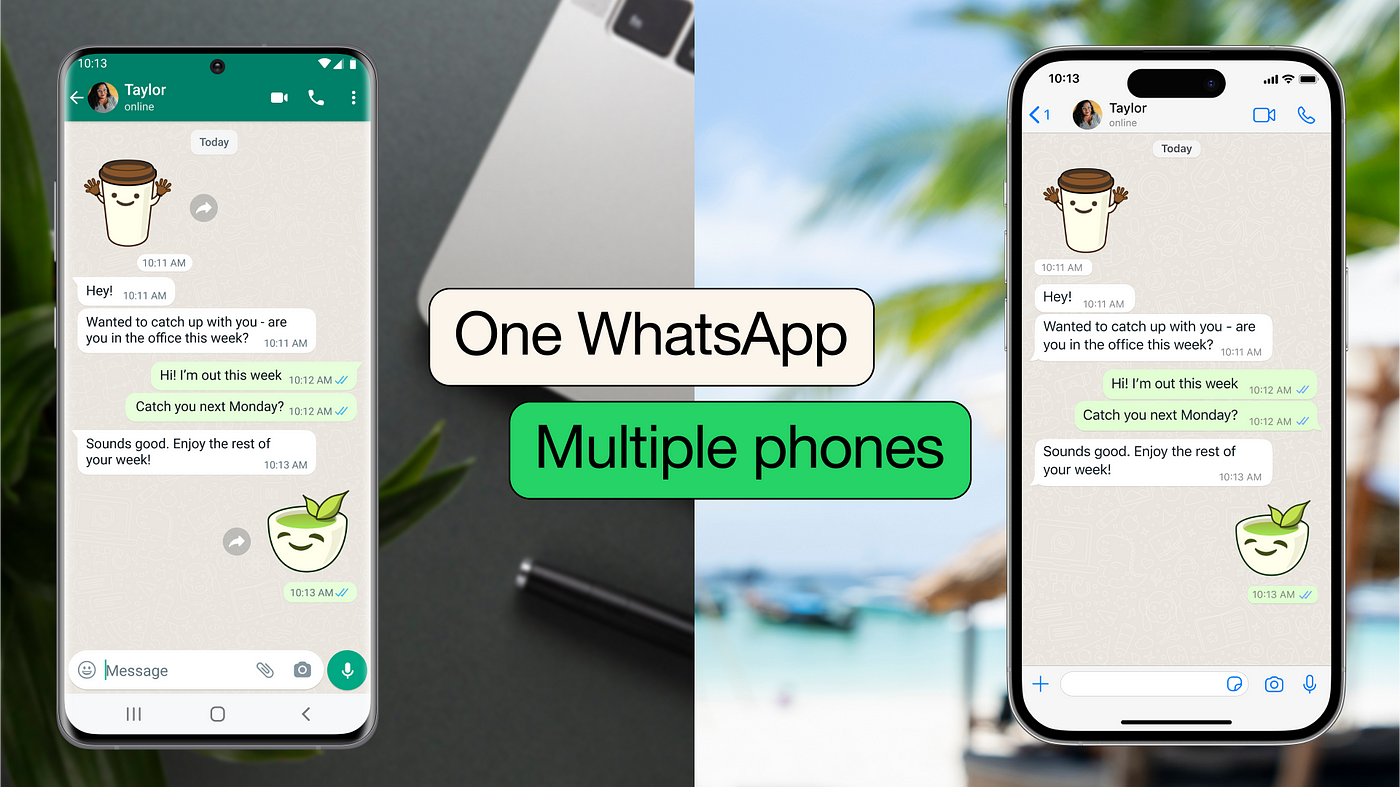
Meta’s tweak amplifier has stretched towards its subsidiary social media platform that allows WhatsApp Messenger and WhatsApp Business users to connect one account to multiple devices. This update has reportedly been in development and dubbed the “Companion Mode” which allows active WhatsApp beta users to access their messages outside the primary connected device.

The instant messenger initially rolled out Companion to feature on the WhatsApp Messenger beta version which was exclusive for selected users per region. However, WhatsApp Messenger intends to keep the drum rolling for its users outside the beta programs to be suspense thrilled whereby the latest update of the instant messenger report reveals a broad range of WhatsApp beta users can access the companion mode pairable with multiple devices.

WhatsApp users can access Companion Mode by installing the latest beta app version which is available on the Google Play Store. For context, the instant messenger has the feature in trial mode exclusively for Android OS users. While other OS platforms will have access to interconnect a WhatsApp account with multiple devices when the instant messenger is done testing the Companion Mode on the beta program.

WhatsApp Messenger was originally developed to account for a single device before Meta introduced this update in November 2022 with relentless exploration via the beta program. At the moment, the instant messenger can be temporarily paired with specific gadgets such as PC, tablets, and mobile phones which remain the primary source. For context, this can be disconnected when the primary device is distant from other devices or when the secondary devices have been inactive for more than 24 hours.

Also worth reading
WhatsApp Is Developing On-Device Scam Detection Feature For Android Users Texas Takes Action Against WhatsApp Over Encryption WhatsApp Plus Launches On iOS With Premium Features WhatsApp Tests Subscription With Largely Cosmetic Perks WhatsApp Adds Multiple Accounts For iOS WhatsApp Adds Password Feature for Stronger Account Security


How to set up a WhatsApp account with multiple devices

The Companion Mode on WhatsApp Messenger appears to be the sole solution to connect multiple devices without fretting over disconnection in the absence of the primary device. Linking other devices with the primary account is a seamless procedure.

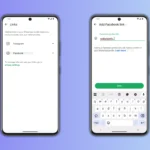
  • Launch WhatsApp beta on your primary device, and click Settings.
  • Click Linked Devices to generate the QR code for the secondary devices’ connectivity.
  • Afterward, go to Google Play Store, download an install the latest beta version of either WhatsApp Messenger or WhatsApp Business on the secondary device.
  • Click the overflow menu from the registration page and observe the options and select “Link a device”.
  • Capture the QR code from the primary device to connect multiple times.

After the synchronization is completed all the message history from the primary device will sync automatically to other secondary devices. However, some features may still not be available in the Companion mode, such as managing broadcast lists and post a status update from the linked device.

Related Reading

More contextual TechBooky stories selected from tags, categories and article context.

  • WA_NEW_MULTIPLE_ACCOUNTS_FEATURE_SETTINGS_IOS
    WhatsApp Plans to Introduce Multiple Accounts Feature on iOS
  • 107294825-1693541615805-GettyImages-1001511110
    WhatsApp Business Reports 300% Growth And Promises…
  • WA_VIEW_ONCE_PHOTOS_VIDEOS_VOICE_MESSAGES_LINKED_DEVICES_ANDROID
    WhatsApp Tests View-Once Media Support for Linked Devices
  • skynews-instagram-meta-facebook_6688367
    WhatsApp iOS Users May Soon Link Instagram Profiles
  • WA_CHAT_THEME_COLOR_FEATURE_IOS
    WhatsApp Beta Adds 22 Chat Themes, Mimicking…
  • WA_DEFAULT_MESSAGING_CALLING_APP_IOS
    iOS Update Lets WhatsApp Set as Default for Calls…
  • The iPad Is Finally Getting The WhatsApp App - Sort Of
    The iPad Is Finally Getting The WhatsApp App - Sort Of
  • whatsapp-status
    WhatsApp Tests Quick Status Sharing to Facebook & Instagram
Keep Reading Smarter

Search TechBooky with AI

Use TechBooky's AI Search to explore the context behind this story and related coverage across the site.

Try AI Search
More On This Topic
Social Media Tips
Follow TechBooky

Follow TechBooky for more technology stories and newsroom updates.

f Facebook X X in LinkedIn ig Instagram wa WhatsApp

Tags: whatsappWhatsApp betawhatsapp multi device
Emeka Eni

Emeka Eni

I am a tech enthusiast, creating contents, graphic designer and am Africa.

Search TechBooky
Open TechBooky AI Search Try the AI Assistant

BROWSE BY CATEGORIES

Receive top tech news directly in your inbox

subscription from
Loading

Freshly Squeezed

  • Hugging Face Faces Deepfake Safety Questions After AI Forensics Study July 28, 2026
  • Recursive Superintelligence Signs $410M AWS Compute Deal July 28, 2026
  • Apple Upgrade Turns iPhones And Macs Into A Leasing Business July 28, 2026
  • Lyft And Baidu Start London Robotaxi Tests As Europe Race Heats Up July 28, 2026
  • PayPal Raises Profit Outlook As Turnaround Meets Takeover Speculation July 28, 2026
  • Microsoft Launches MAI-Cyber-1-Flash As AI Security Becomes A Model Race July 28, 2026
  • Anthropic Says It Does Not Want An Open-Weight AI Ban, But Still Wants Tough Rules July 28, 2026
  • X Money Launches In The US As Musk Moves X Closer To An Everything App July 28, 2026
  • Snapchat Brings Spotify Listening To Snap Map With Now Playing July 27, 2026
  • Threads Users Can Now DM Meta AI As The Assistant Moves Deeper Into Social Apps July 27, 2026
  • NVIDIA Launches Open Secure AI Alliance To Make Open Models A Cyber Defence Tool July 27, 2026
  • CXMT Surges 470% As China Bets Big On AI Memory Chips July 27, 2026

Browse Archives

July 2026
M T W T F S S
 12345
6789101112
13141516171819
20212223242526
2728293031  
« Jun    

Quick Links

  • About TechBooky
  • Advertise With TechBooky
  • Contact us
  • Submit Article
  • Privacy Policy
Generic selectors
Exact matches only
Search in title
Search in content
Post Type Selectors
Search in posts
Search in pages
  • African
  • Artificial Intelligence
  • Gadgets
  • Metaverse
  • Tips
  • AI Search
  • About TechBooky
  • Advertise With TechBooky
  • Submit Article
  • Contact us

© 2025 Designed By TechBooky Elite

Discover more from TechBooky

Subscribe now to keep reading and get access to the full archive.

Continue reading

We use cookies to ensure that we give you the best experience on our website. If you continue to use this site we will assume that you are happy with it.